Our story Gadget Engineer

Gadget Engineerby 360 Labs

Small builds.
Big possibilities.

A robot that waves. A game you invent. Hands-on engineering ideas that turn “what if?” into something you can build.

12 activity ideas · Explore the physics behind each build.

Tilt Maze with craft-stick walls, a two-servo board and joystick Watch Tilt Maze 8.5 s
Physics simulation Tilt Maze · Design the route. Find your way.
12activity conceptsBuild. Code. Play.One idea, many experiments.Made to exploreCraft sticks, printed parts and electronics.

01 · Make a character

A little movement.
A lot of personality.

Start with a simple action. Discover how structure, timing and code work together to bring a character to life.

01 · Build a character

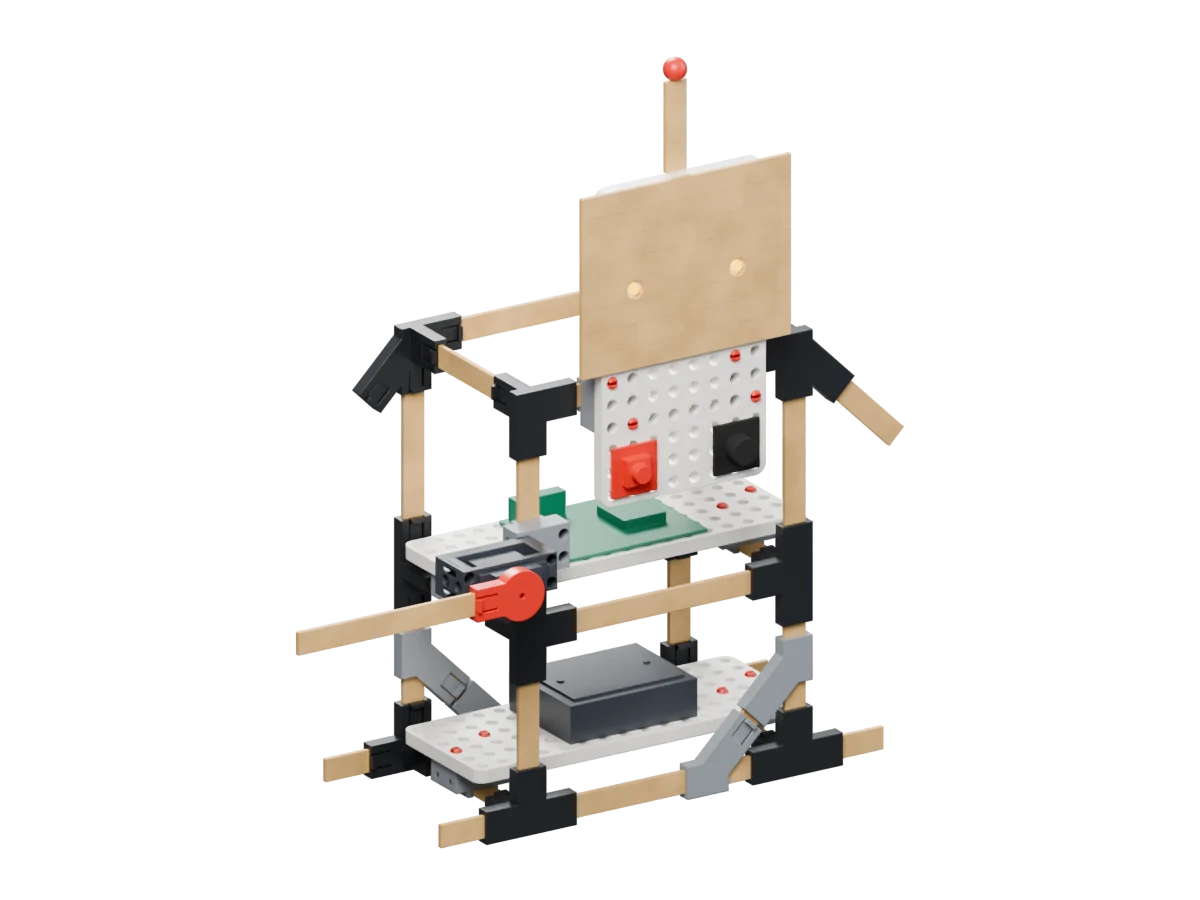
Stick-Bot

Press a button to start a wave, glowing eyes and a tune.

  • Inputs & outputs
  • Frame strength
How it works & what to explore

How it works

A push button starts a programmed sequence: a micro-servo waves the craft-stick arm, LED eyes light up and a buzzer plays a tune. Triangle braces help stiffen the stick frame.

What to explore

Connect an input to several outputs, sequence actions in code, and compare a braced frame with a wobbly one.

Try a questionWhat changes if you slow the wave or give your robot a different tune?

About this film

The physics model includes spring-loaded button travel, a driven waving arm and a free-standing frame. It explores stability during the wave; physical build behaviour still needs testing.
02 · Explore movement

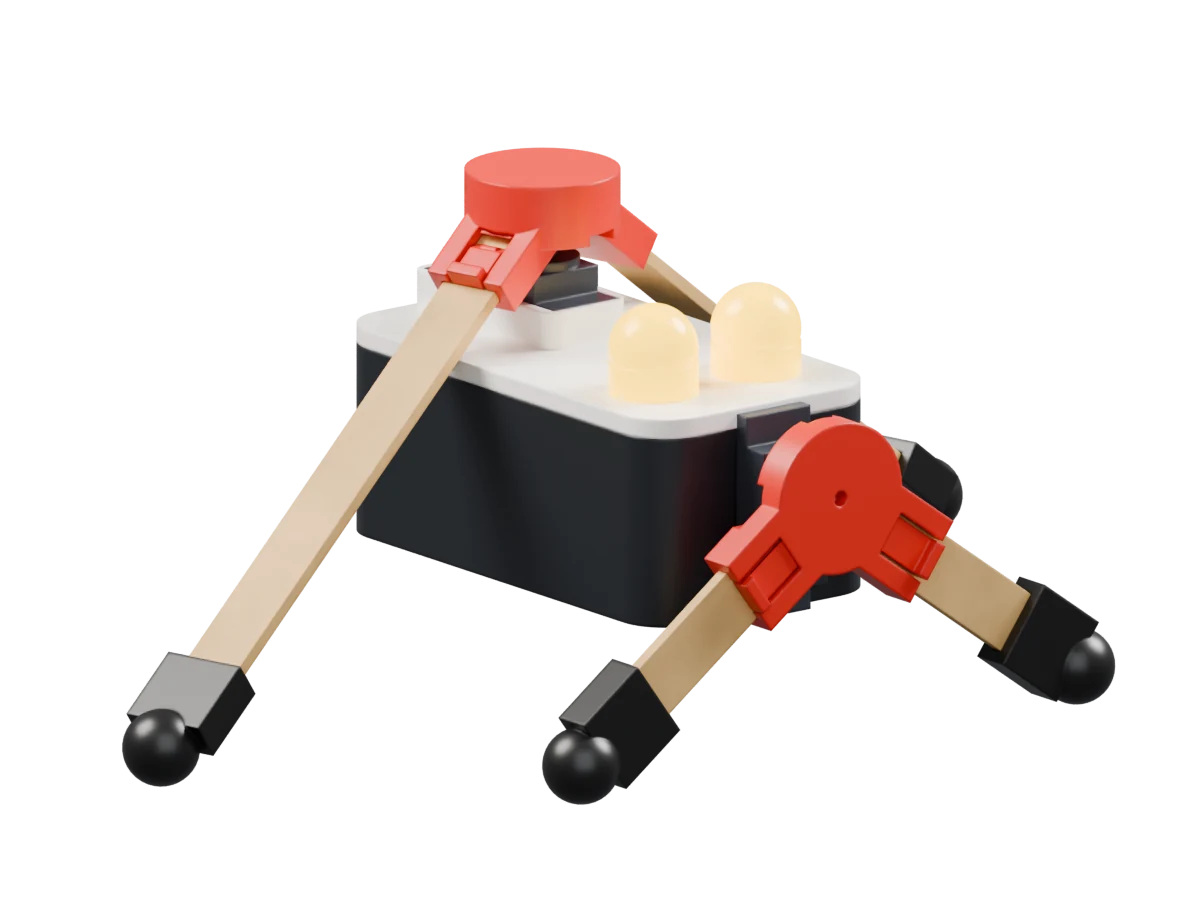
Stick Critter

Coordinate two servos to explore a four-legged walking idea.

  • Balance
  • Timing
How it works & what to explore

How it works

One servo rocks the body to shift its weight. A second servo sweeps the rear legs against the floor, while the front feet lift in turn. Changing their relative timing changes the gait.

What to explore

Explore balance, coordinated motion and the relationship between a mechanism and its control sequence.

Try a questionWhat happens when the leg movements are slightly out of time?

About this film

The contact simulation moves the 96 g CAD assembly forward about 15 cm using two modelled servos. This is a simulation result rather than a tested physical walking performance.

03 · Build a reactive character

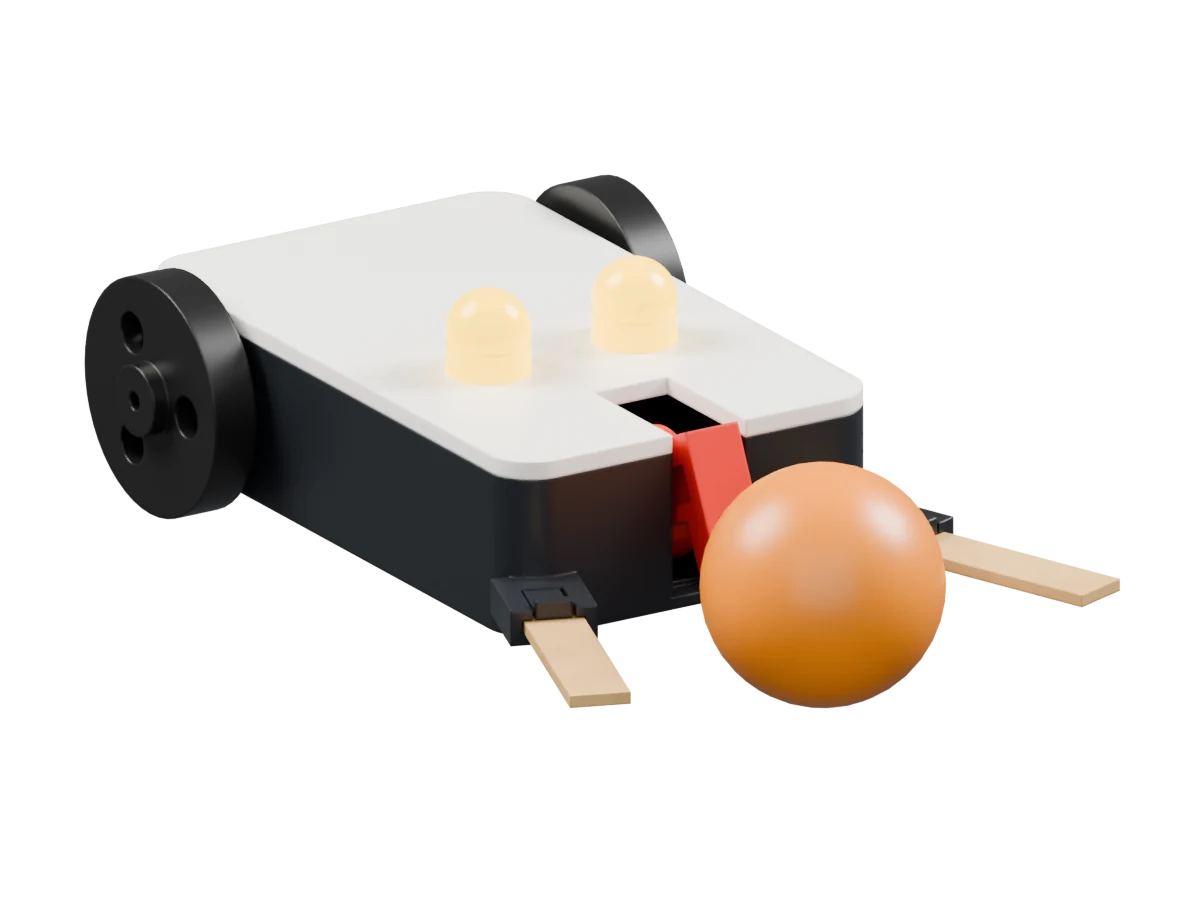
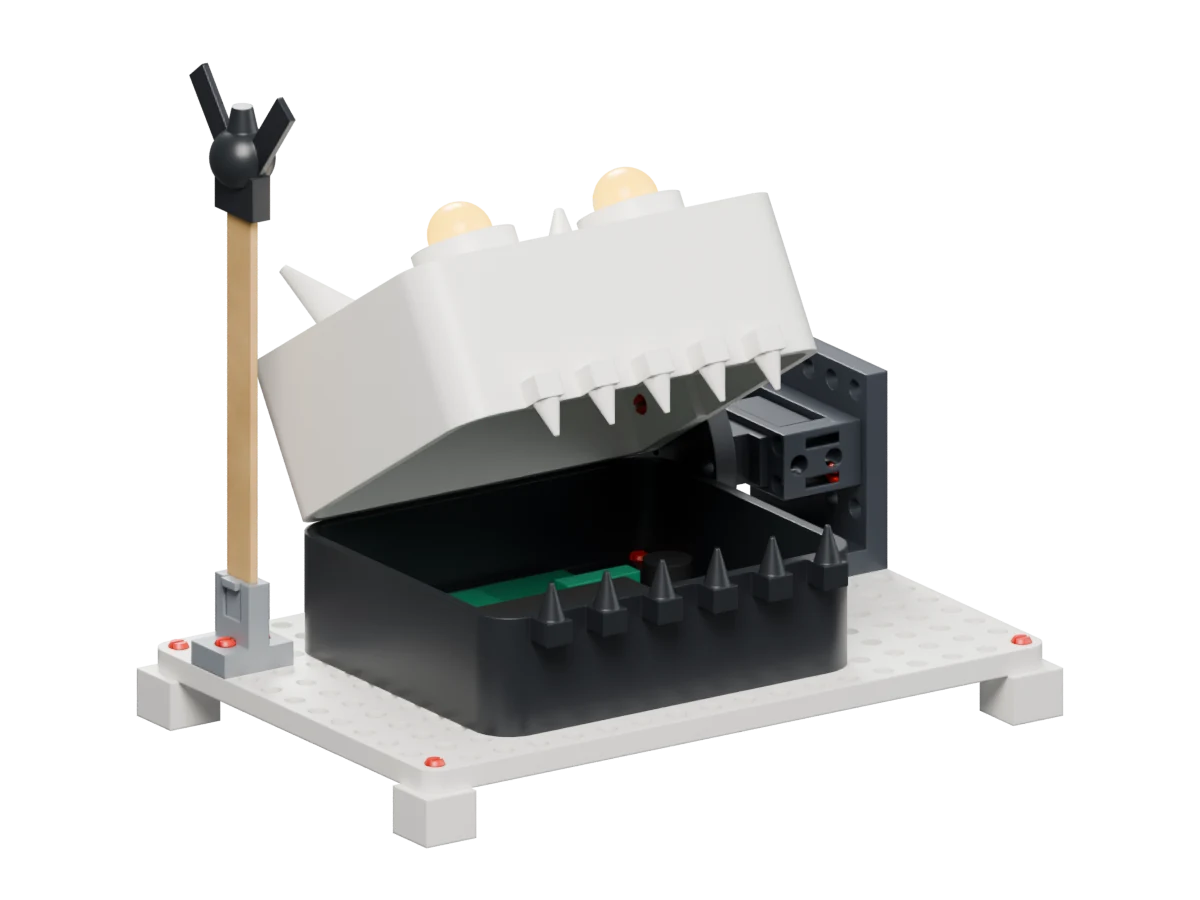
Chomp-Bot

Can you pull the fly away before the jaw closes?

  • Sensors
  • Reaction time
How it works & what to explore

How it works

An IR proximity sensor detects the fly inside the mouth and triggers a servo-driven jaw, flashing eyes and a buzzer. The player tries to withdraw the craft-stick fly wand in time.

What to explore

Explore sensor thresholds, inputs and outputs, reaction time and fair game timing.

Try a questionHow long should the jaw wait to make the game challenging but fair?

About this film

The contact simulation shows one escape and one catch. On the second attempt, contact with the fly blocks jaw closure and increments the simulated catch count. Physical force, fit and sensing still need testing.

04 · Give a mechanism personality

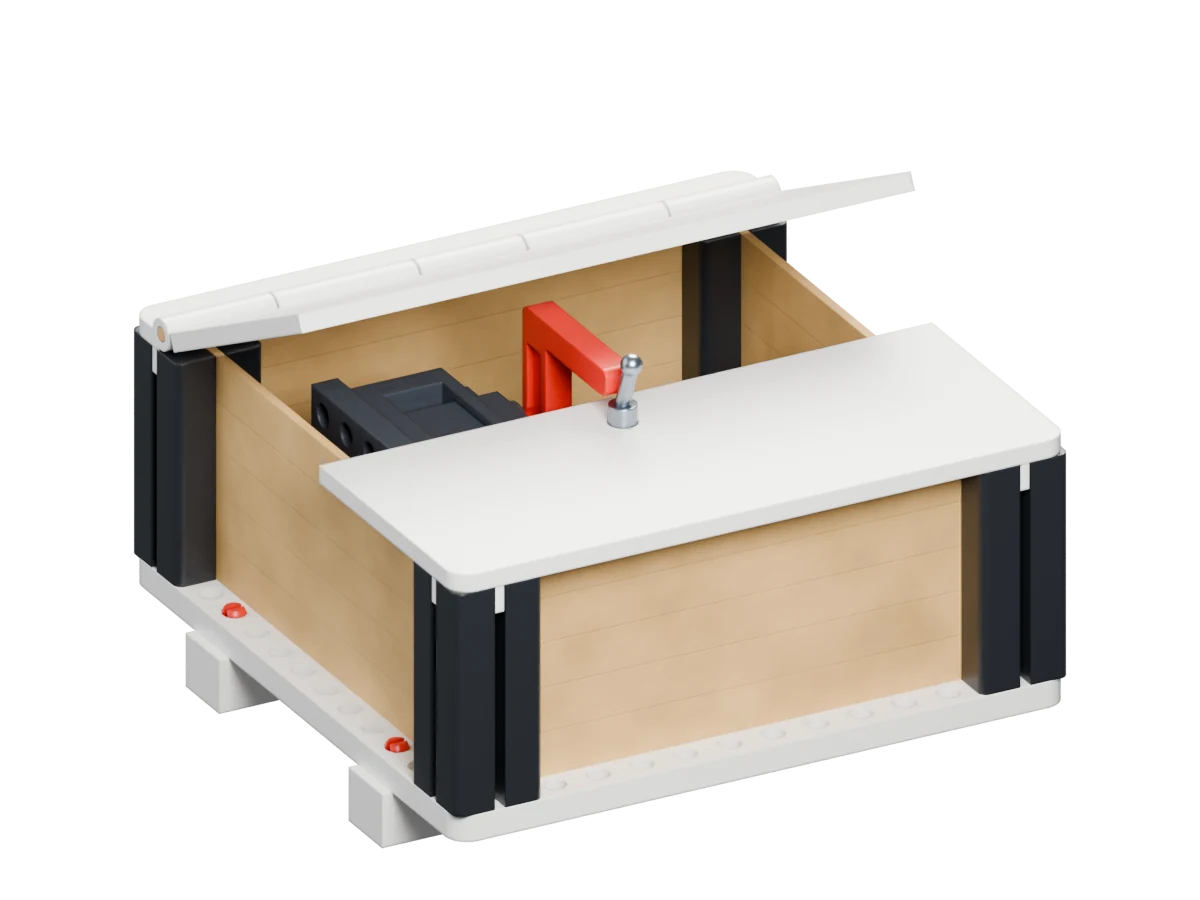
Grumpy Box

Switch it on. It switches itself off.

  • Mechanisms
  • Sequencing
How it works & what to explore

How it works

A toggle switch starts a servo finger that lifts the hinged lid and pushes the toggle back off. The finger retracts and gravity closes the lid. The crate uses uncut craft sticks.

What to explore

Explore a switch as an input, timed servo motion, mechanical clearance and a self-resetting sequence.

Try a questionHow would slowing the finger change the box’s personality?

About this film

The simulation shows the finger pushing the toggle off twice, with the lid returning shut after the finger retracts. Physical fit, switch actuation and lid movement still need testing on a build.

02 · Build a game

You build it.
You make the rules.

Steer a ball, aim at a target or race a timer. Change one part of the game and discover how the experience changes.

05 · Design a game

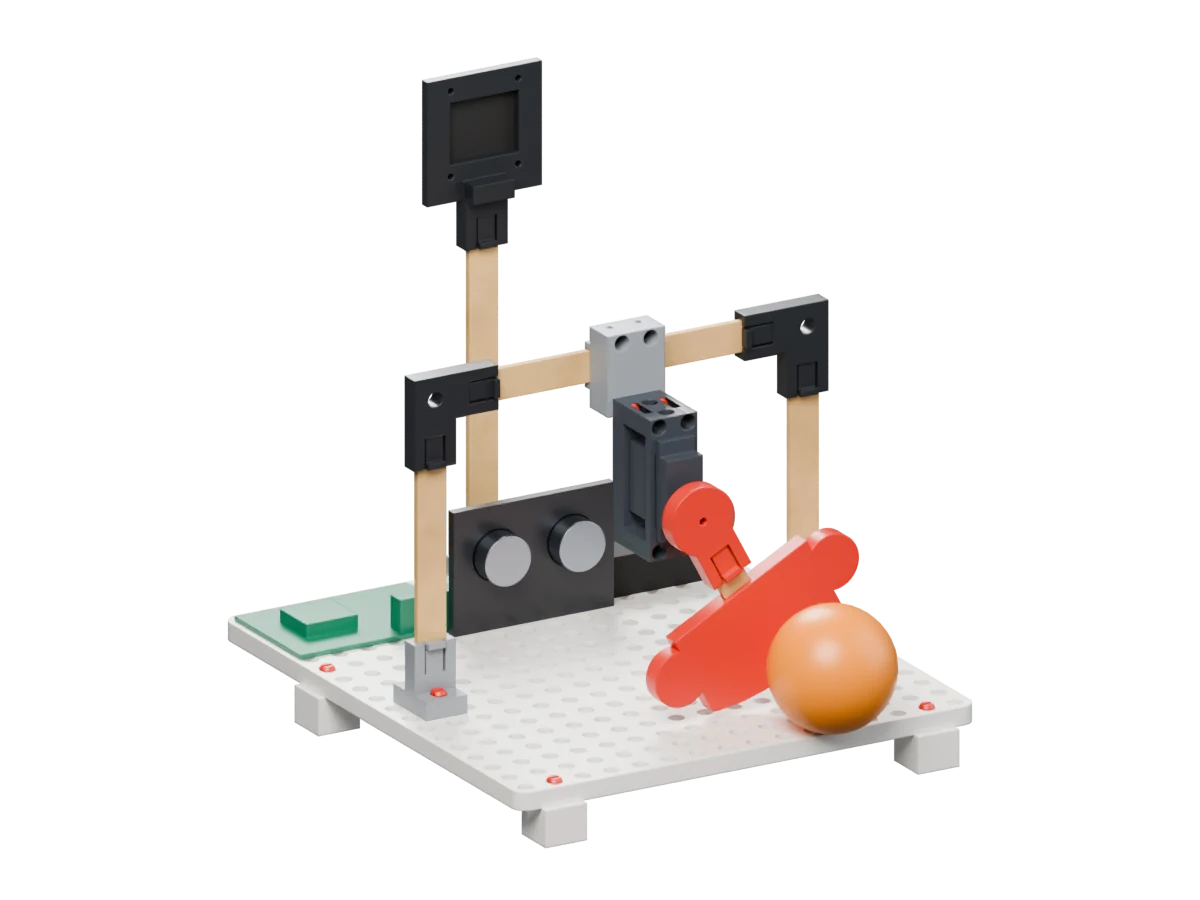
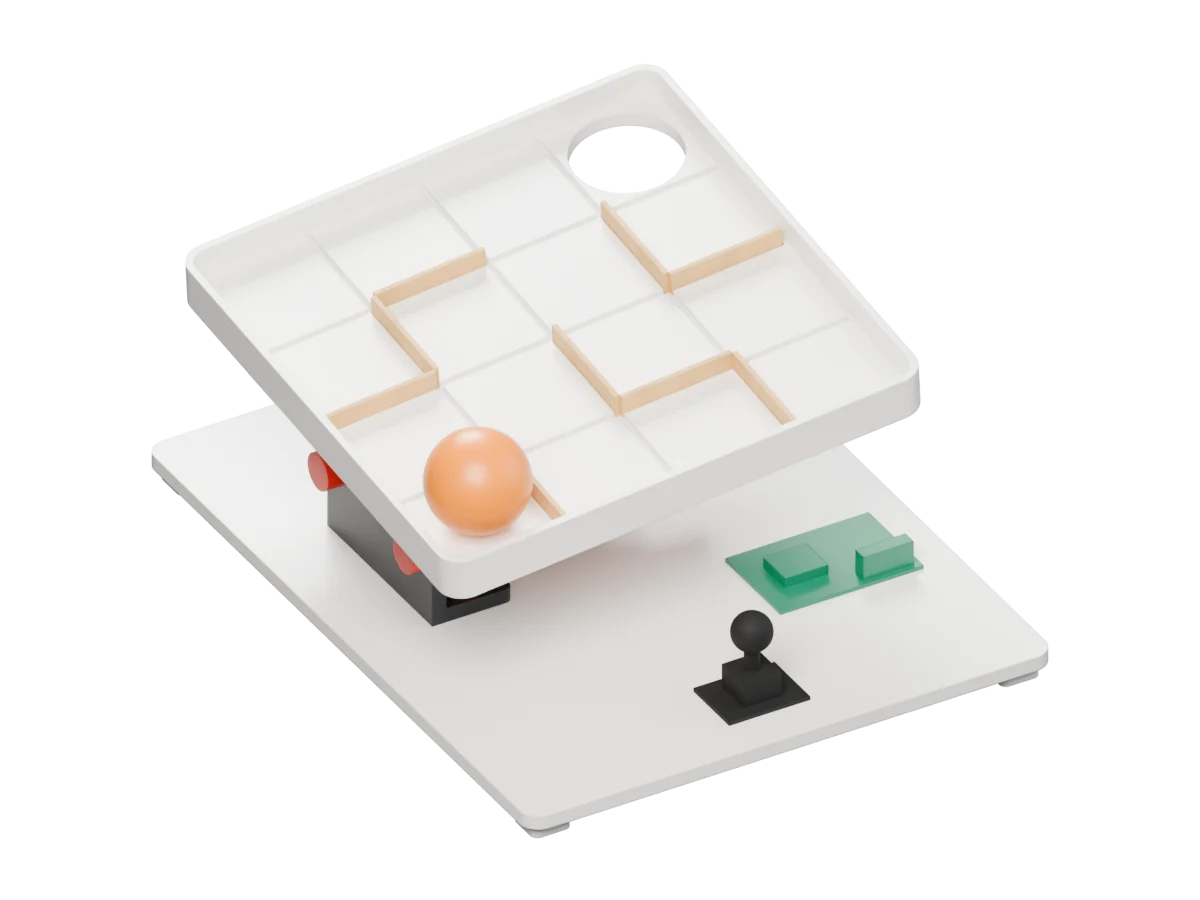
Tilt Maze

Design a route, then use two-axis tilt to guide the ball home.

  • Gravity
  • Two-axis control
How it works & what to explore

How it works

A joystick controls two servos in a nested tilting mechanism. One tips the board forward and back; the other rides on that assembly and tips it left and right. Cut craft sticks fit into the board slots as movable maze walls. Guide the ball into the goal hole.

What to explore

Explore two-axis control, gravity and the effect of gentle changes in tilt. Redesign the maze and test a new route.

Try a questionCan you make a route that is challenging without making it impossible?

About this film

In this physics run, the ball drops through the goal hole as a simulated controller changes the two-axis tilt. Rolling behaviour, joystick control and servo strength still need testing on a physical build.

06 · Aim and experiment

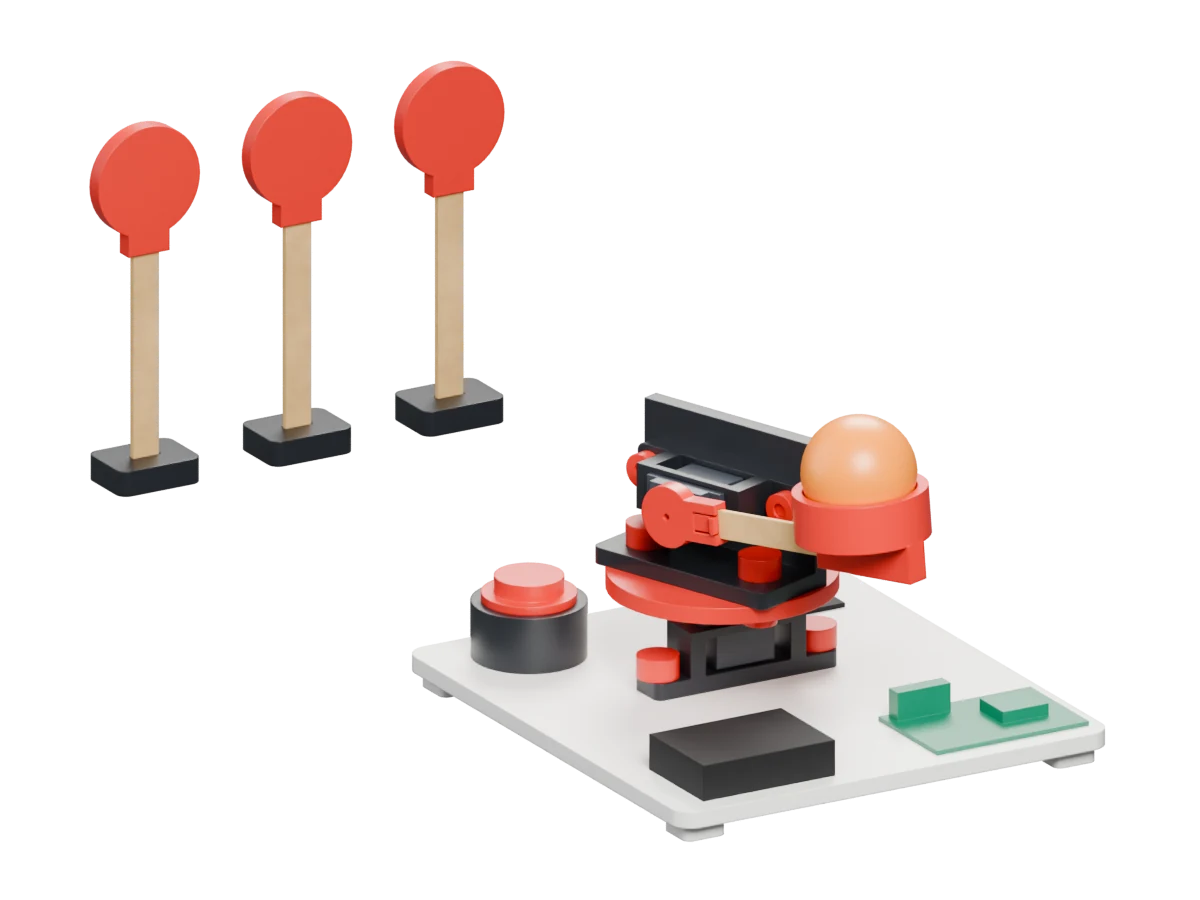
Launch-Bot

Aim a servo-powered throwing arm at targets you made yourself.

  • Prediction
  • Motion
How it works & what to explore

How it works

A joystick turns a pan servo to aim the launcher. A second servo swings a craft-stick throwing arm with a cup for the ball; the fire button starts the throw. Stick targets stand in loose feet so they can fall when hit.

What to explore

Vary the aim and throwing sequence, make a prediction, and compare where the ball lands.

Try a questionHow do the arm motion and target distance change the result?

About this film

The physics simulation brakes the throwing arm at 105°. One target topples; the next wobbles and stays standing. These outcomes depend on the model and still need checking with a physical launcher.

07 · Design a game

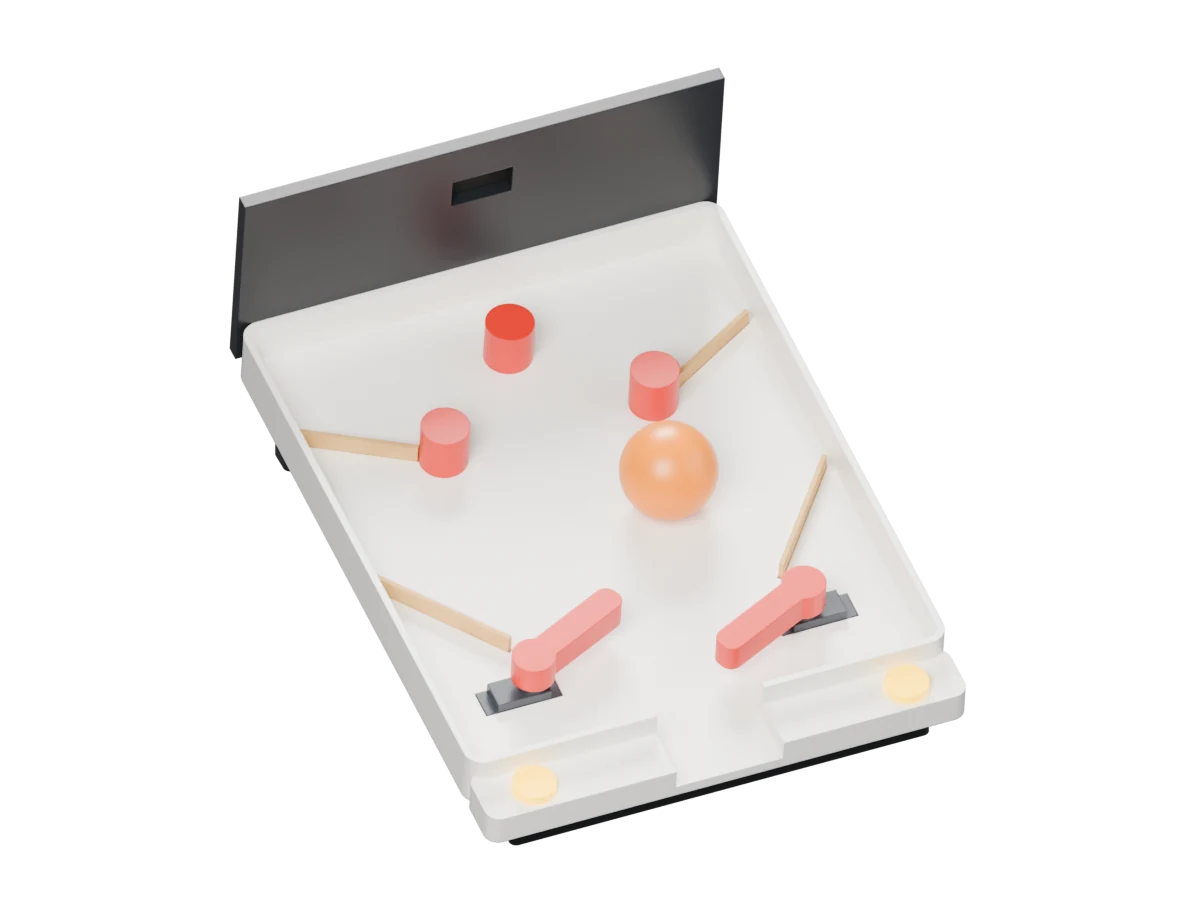
Flip-It Pinball

Build a sloping table and experiment with two servo flippers.

  • Gravity
  • Timing
How it works & what to explore

How it works

Each button controls a servo-mounted flipper. The table slopes down towards the player, so gravity brings the ball back. Craft-stick guides and peg-in bumpers can be moved to change its path. The current concept is started by dropping the ball in from the top.

What to explore

Explore cause and effect, timing, gravity and how the placement of guides changes play.

Try a questionWhich bumper layout keeps the ball in play for longest?

About this film

The physics simulation records six flipper returns from eight timed presses and updates a simulated score. The controller chooses press timing from the ball state; this does not demonstrate player input or working OLED hardware. The current design has no ball launcher or return.

08 · Code a game

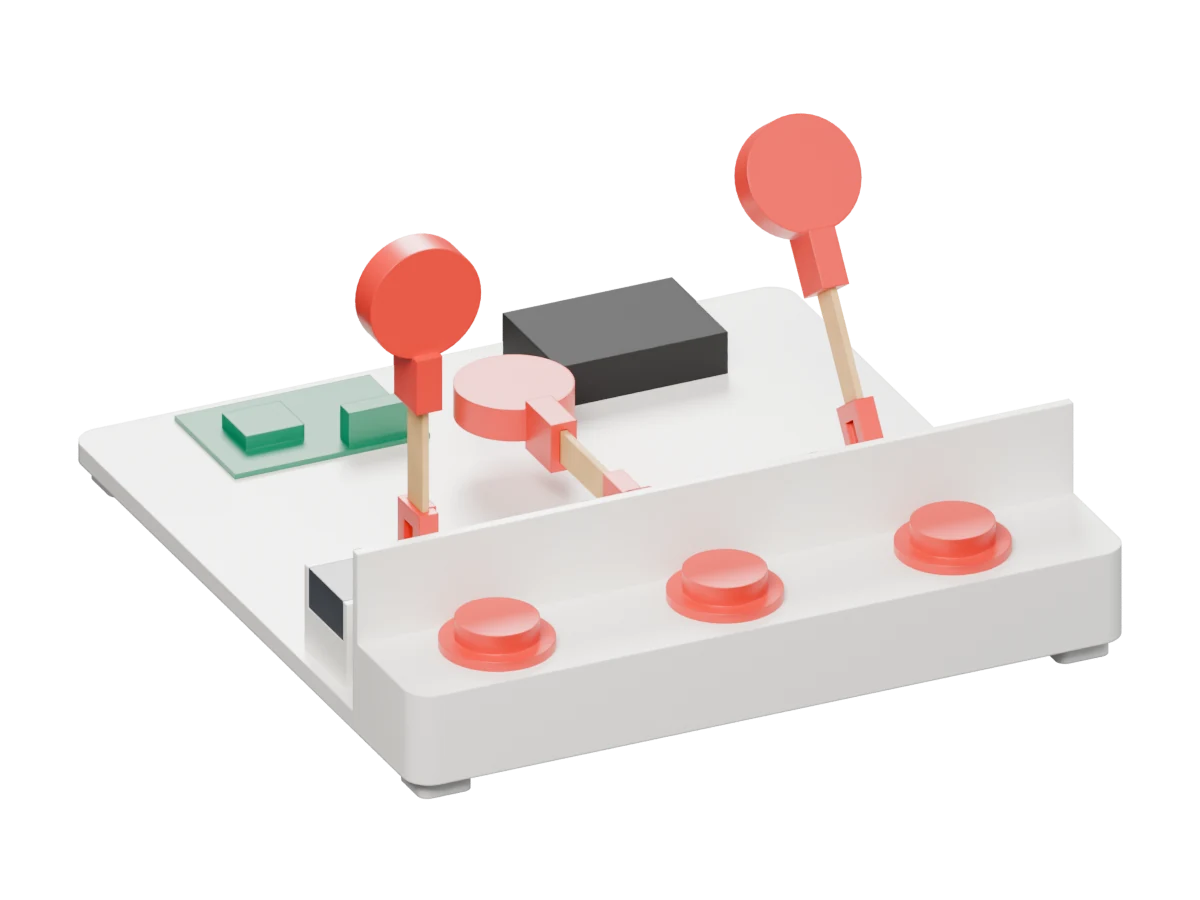
Whack-a-Stick

Spot the rising mole and press its matching button in time.

  • Random choices
  • Reaction time
How it works & what to explore

How it works

Three servos each raise a craft-stick mole from behind a fence. The programme chooses a mole and gives the player a time window to press its corresponding arcade button before it ducks. Successful presses score and shorten the next response window. Press the matching button rather than hitting the moving sticks.

What to explore

Use random choices, match inputs to outputs, and change timing to adjust the difficulty.

Try a questionHow short can the response window be while the game still feels fair?

About this film

The spring-button simulation records four successful matching presses and one timeout. The moving sticks are not targets to hit. Button detection, scoring and the assembly still need testing together in a physical build.

03 · Move & respond

Sense. Steer.
Try again.

Read a sensor, steer a robot or coordinate an arm. Explore the decisions behind each movement.

09 · Sense and respond

Line-Following Rover

Read a line, adjust the wheels, and notice an obstacle ahead.

  • Feedback
  • Sensors
How it works & what to explore

How it works

Two downward-facing infrared sensors read the contrast between a dark line and the floor. The controller adjusts the two TT motors through a motor driver to steer. A forward-facing ultrasonic sensor is intended to stop the rover at an obstacle; an OLED provides its face.

What to explore

Explore feedback: read sensors, make a decision, adjust the motors, then read again.

Try a questionHow does changing the steering correction affect a tight corner?

About this film

A traction-limited driving model follows the curve and stops about 7.5 cm from the wall. The result depends on simulated wheel grip, sensor sampling and surface assumptions; physical navigation still needs testing.

10 · Control a robot

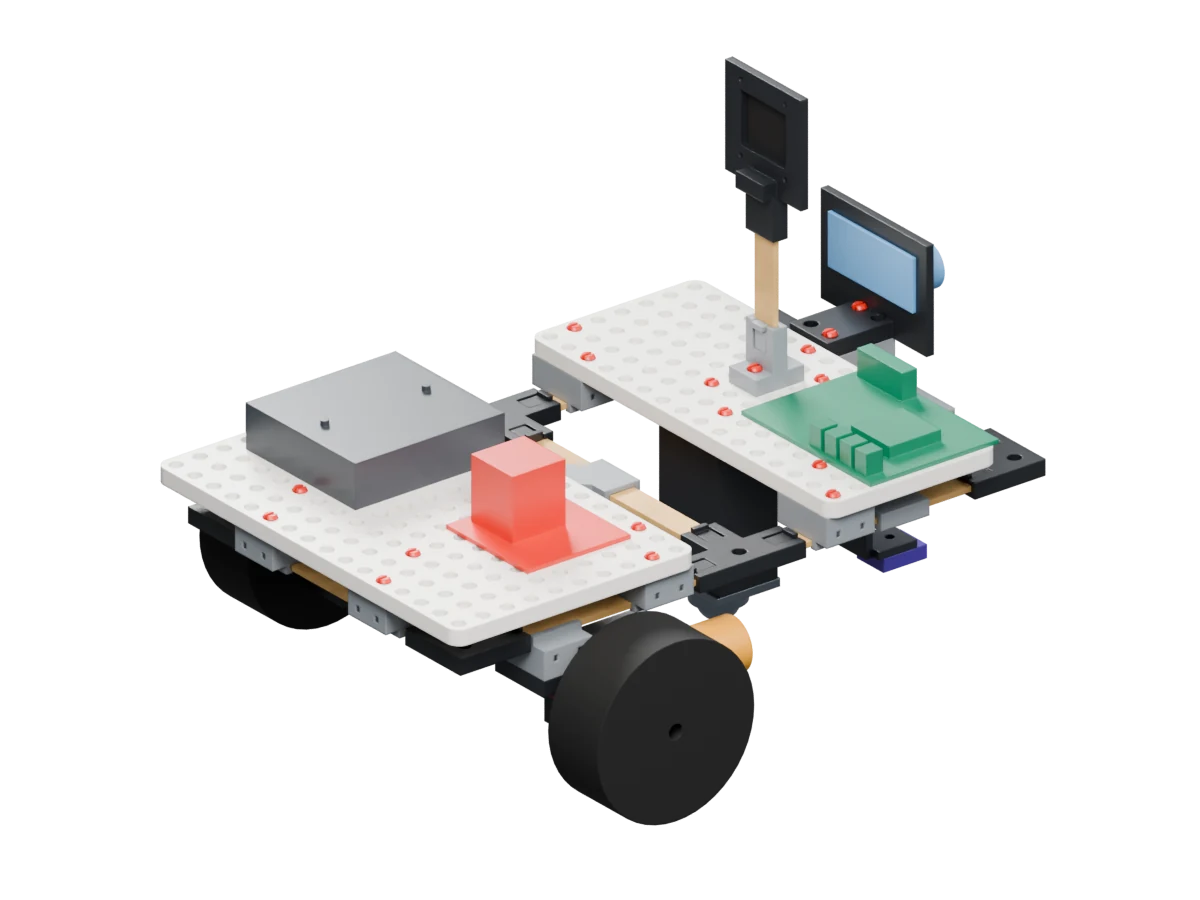
Kick-Bot

Steer with two motors, line up the ball, and trigger a servo kick.

  • Steering
  • Remote control
How it works & what to explore

How it works

Two N20 gear motors drive one wheel on each side, allowing the robot to steer by changing the wheel speeds. Front craft-stick forks help hold the ball. A servo swings a kicking foot through the nose. The concept uses an ESP32 for phone control.

What to explore

Explore differential steering, remote commands and the timing of a mechanical action.

Try a questionHow should you line up before sending the kick command?

About this film

In this physics run, the servo foot accelerates the ball and it crosses a goal line fixed before the simulation. This does not establish real-world accuracy, kicking range or a working phone-control app.

11 · Sense and respond

Robo-Goalie

Flick a ball at the goal and explore how a servo keeper reacts.

  • Sensor limits
  • Reaction time
How it works & what to explore

How it works

A distance sensor is intended to detect an approaching ball and trigger a servo-mounted goalkeeper. One sensor measures distance rather than left/right direction, so the keeper’s code chooses a side. An OLED scoreboard is part of the activity concept.

What to explore

Explore reaction time, sensor limitations, random choices and game difficulty.

Try a questionHow does changing the keeper’s delay affect the game?

About this film

The physics simulation shows a save, a goal between the posts, contact with the net and a simulated score increase. The keeper guesses a side. The film does not demonstrate working sensor or scoreboard hardware.

12 · Coordinate a mechanism

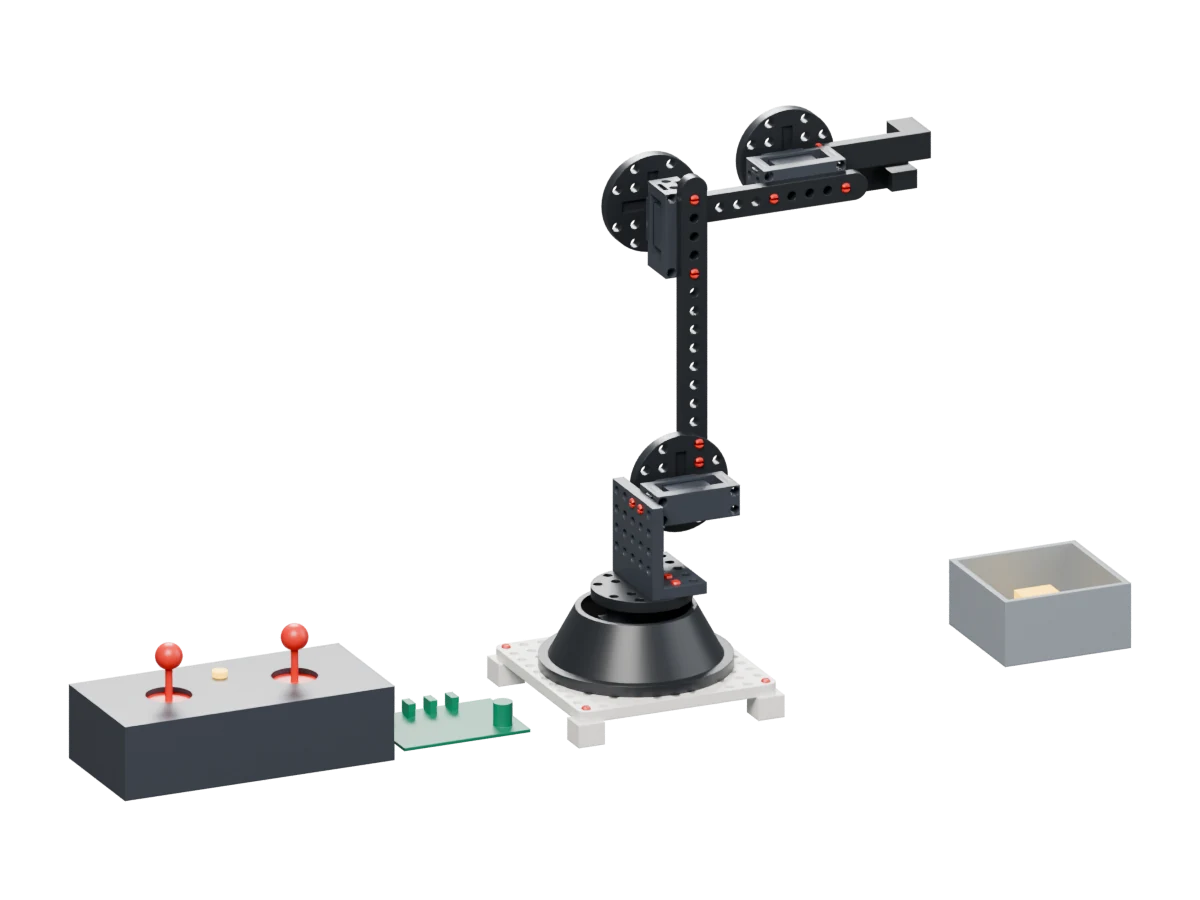
4-Servo Robotic Arm

Coordinate four joints to pick up a cube and place it in a bin.

  • Sequencing
  • Joint limits
How it works & what to explore

How it works

Four servos control the base, shoulder, elbow and gripper. Two joysticks are the intended manual controls, with a record/replay button for repeating a movement sequence.

What to explore

Explore coordinated motion, sequencing, reach and joint limits.

Try a questionWhat sequence picks up the cube without reaching a joint limit?

About this film

Physics simulation showing a cube reaching the bin. The cube is temporarily attached to the finger frame during transport, so the film does not validate gripping friction, payload capacity or working record/replay hardware.

The Gadget Engineer approach

Build something.
Discover something.

The finished model is a starting point. The learning comes from asking a question, trying an idea and making it your own.

  1. Build.

    Connect the mechanism to an idea. What do you think it will do?

  2. Try.

    Watch what changes. Compare the result with your prediction.

  3. Make it yours.

    Change one variable: the layout, the timing, or the way it moves.

About the films

These Junior Engineering concepts continue Gadget Engineer’s hands-on approach. All twelve films use physics simulation to explore an idea before a physical build. Each activity explains the intended mechanism and what its film demonstrates. Physical prototypes are still needed to check fit, strength, sensing and movement.

These activities are separate from the HEXA LAB magnetic circuit kit.

Activity film